
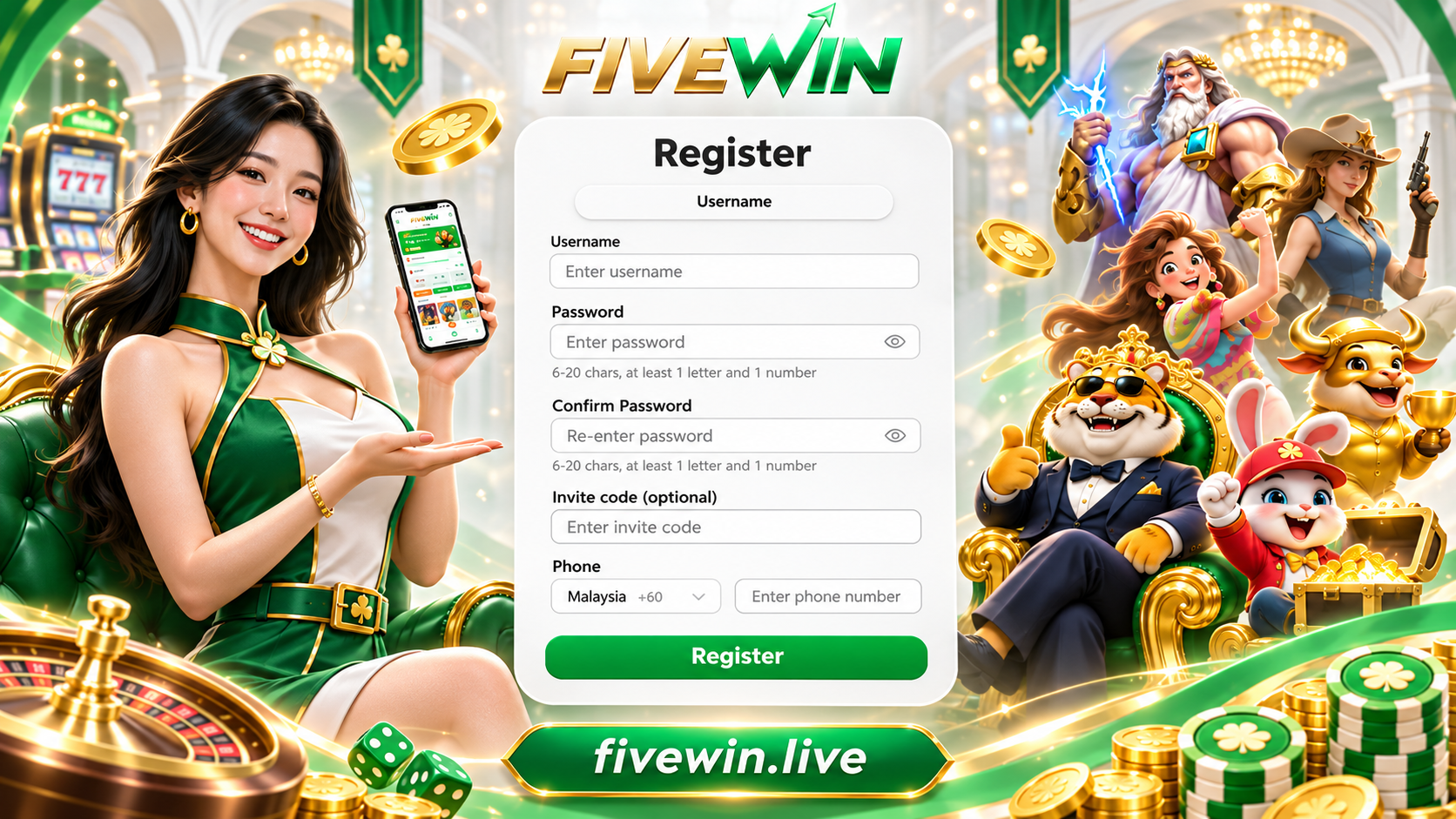
To complete your FiveWin register, you need a username, a password and a Malaysian mobile number that can receive an SMS verification code. The whole form fits on one screen, and most players finish it in a couple of minutes. Tap the button below to open the official sign-up page, then follow the steps on this page.
Have these ready before you open the form, so you can complete it in one go:
| Item | Requirement |
|---|---|
| Username | A name you will use every time you sign in. Pick one you can remember easily. |
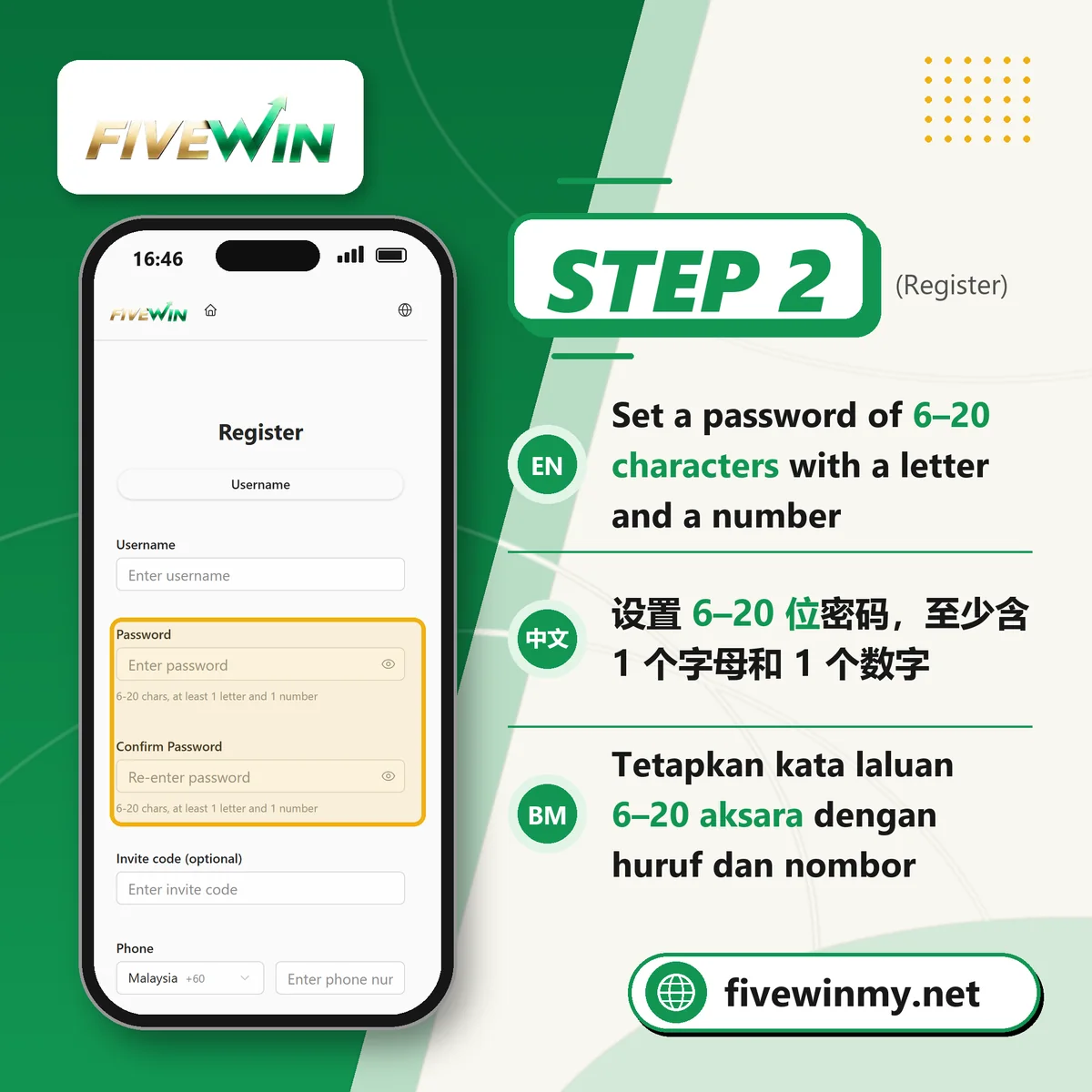
| Password | 6 to 20 characters, with at least one letter and one number |
| Mobile number | A Malaysian (+60) number with you, to receive the verification code |
| Invite code | Optional. Only needed if a friend has given you one |
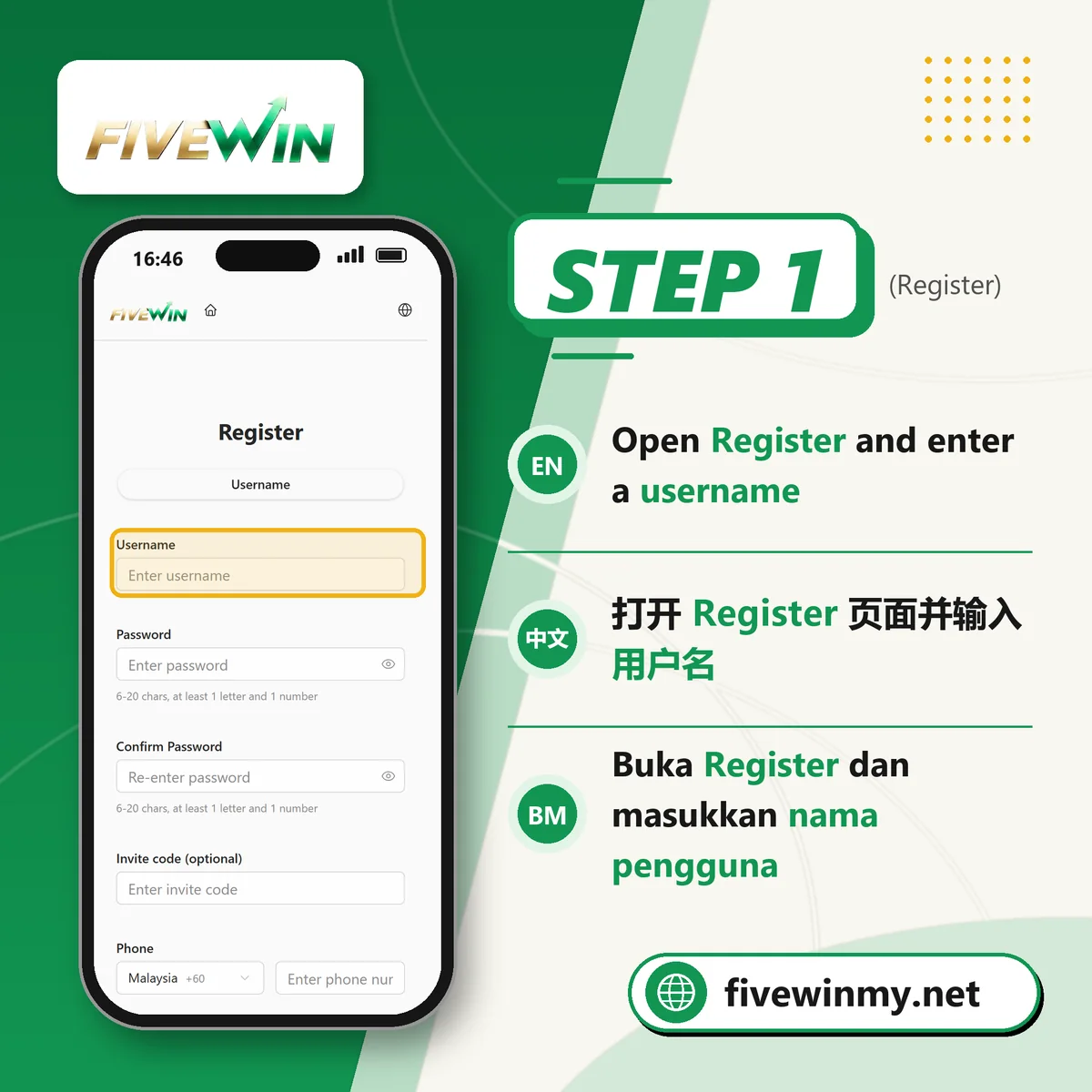
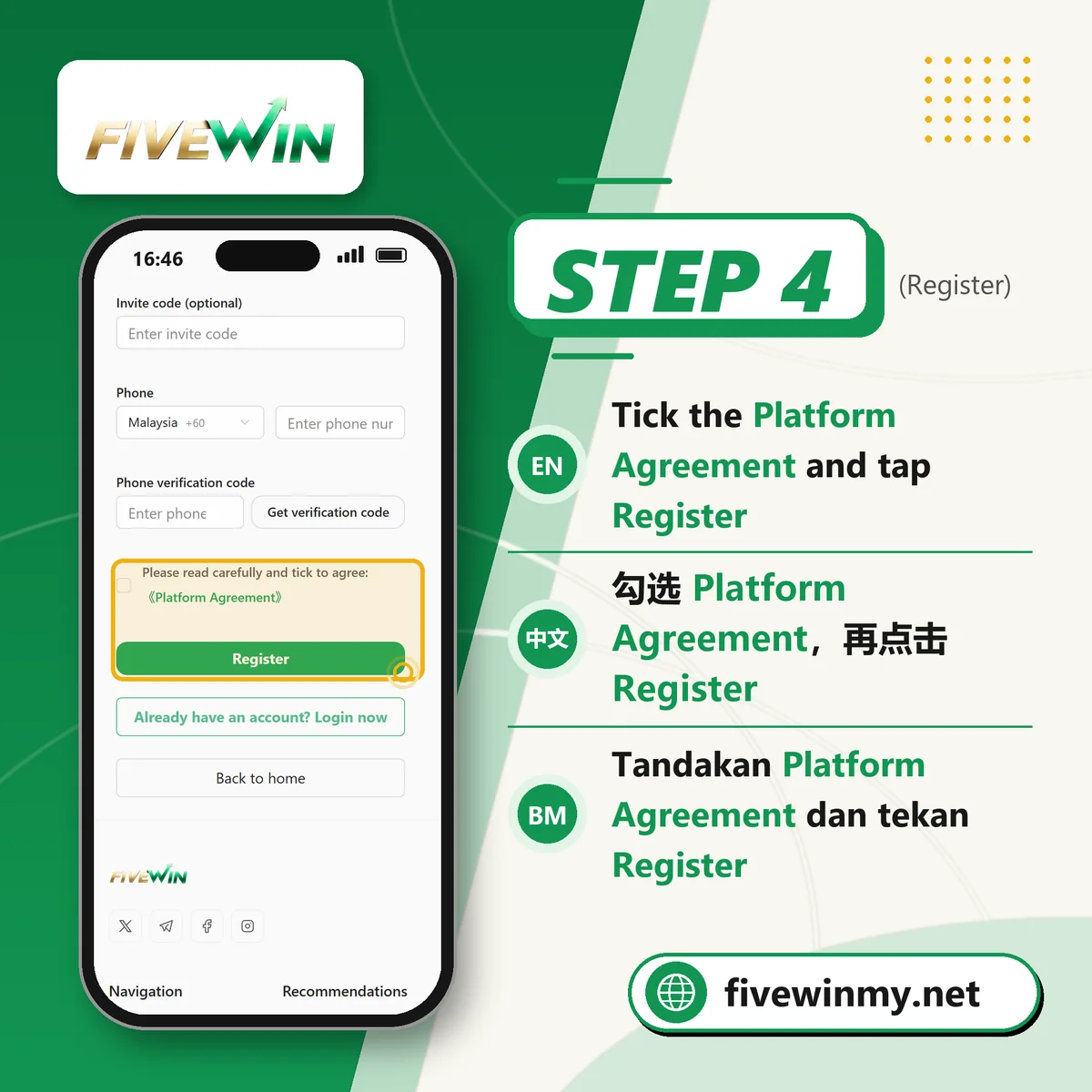
Tap the Register button on this page or the Register link in our top menu. Both open the official FiveWin registration form directly, so there is no need to search for it or use links shared by strangers.
Enter your preferred username, then create a password of 6 to 20 characters that includes at least one letter and one number. Type the same password again in the Confirm Password field. You can tap the eye icon to check what you have typed before moving on.
If a friend shared an invite code with you, enter it in the Invite code field. If you do not have one, leave it blank. Your FiveWin register goes through either way.
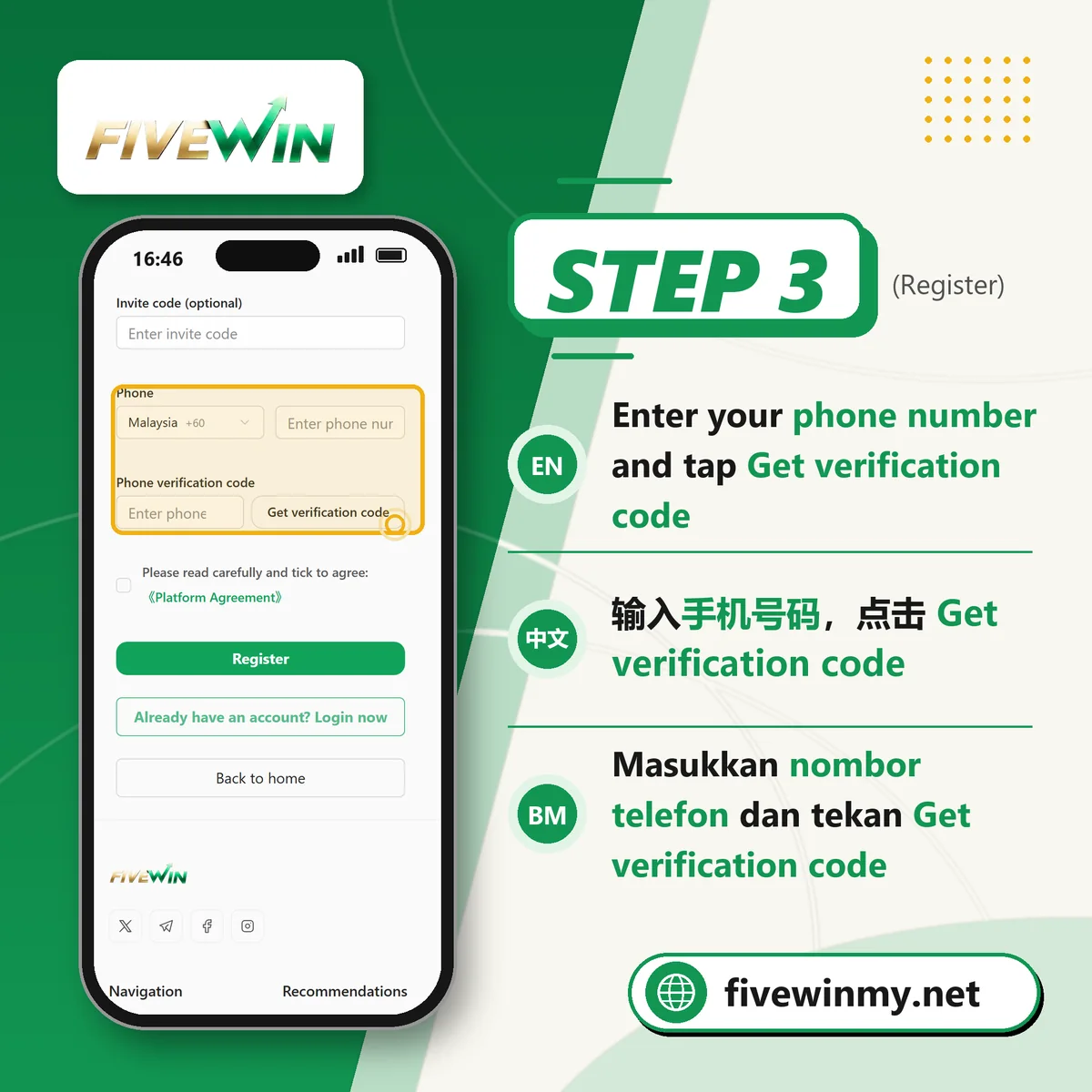
Malaysia (+60) is already selected as the country. Enter your mobile number, tap Get verification code and type in the code from the SMS. Read the Platform Agreement, tick the box to agree, then select Register. Your account is created straight away.
Your username is what you type at every sign-in, so keep it simple and personal to you, without being easy for others to guess:
The SMS code is the step where most FiveWin register attempts pause. If it does not arrive, check these points before requesting it again:
If the code still does not come through, contact FiveWin customer support through Live Chat and let our team know the number you are using. We will never ask for your password or verification code.
Use your new username and password at the FiveWin login page. On your phone, add FiveWin to your home screen so you can open it in one tap. Our FiveWin app page explains the options for Android, iPhone and desktop.
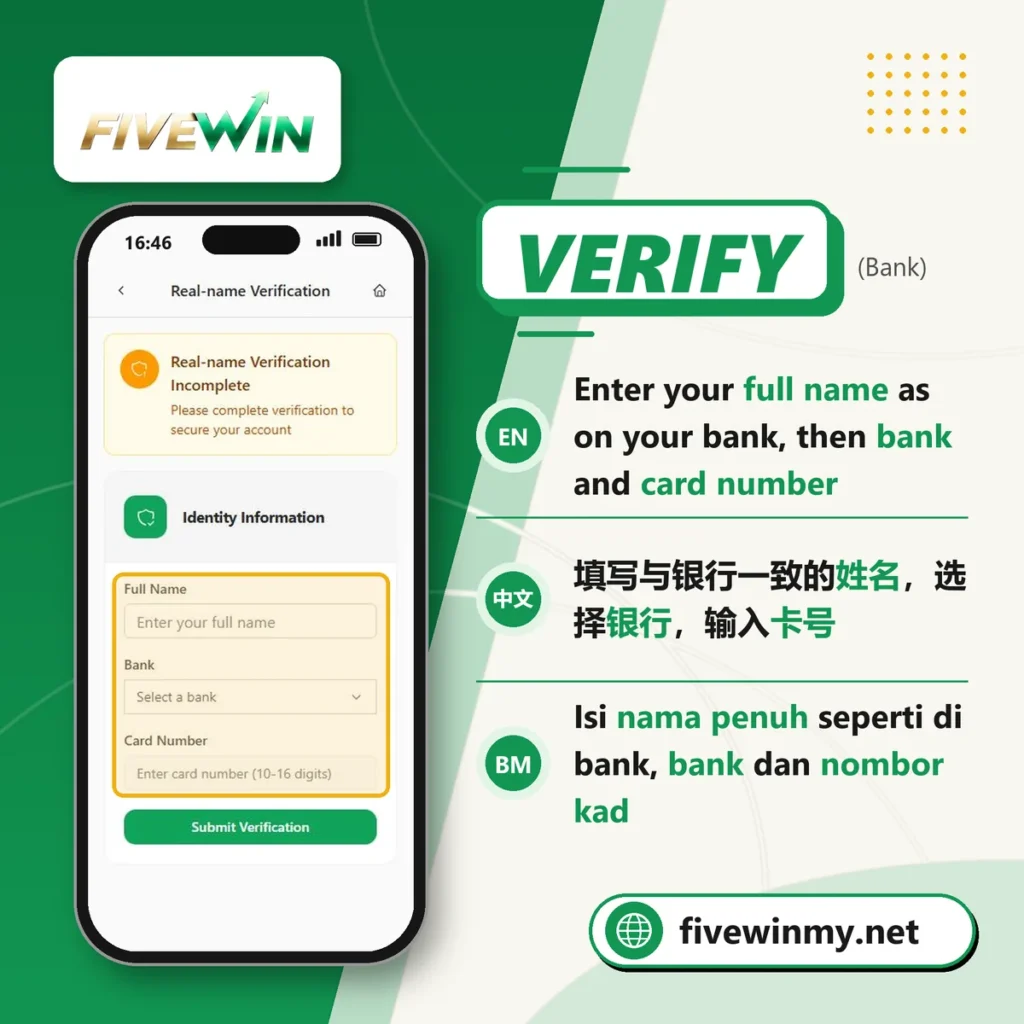
Before your first deposit, we ask you to verify your bank account with your full name, bank and account number. The name must match your bank account exactly. This step protects your deposits and withdrawals, and doing it early means nothing holds you up later.
New members can choose from several welcome offers. Read the terms, including turnover requirements and which games count, on our FiveWin welcome bonus page before you make your first top-up.
Linking an email to your profile is entirely up to you. It gives you a second way to recover your password alongside SMS, which is useful if you ever change your mobile number.
Yes. Creating a FiveWin account costs nothing. You only need to deposit when you are ready to play with real money.
No. The invite code is optional, and you can complete your FiveWin register without one.
No. Every new account is verified with a Malaysian mobile number. You can add an email to your profile later if you want an extra recovery option.
FiveWin is for players aged 18 and above. For anything else about accounts, games or payments, see the FiveWin FAQ or head back to the FiveWin homepage to explore our FiveWin slot games.