
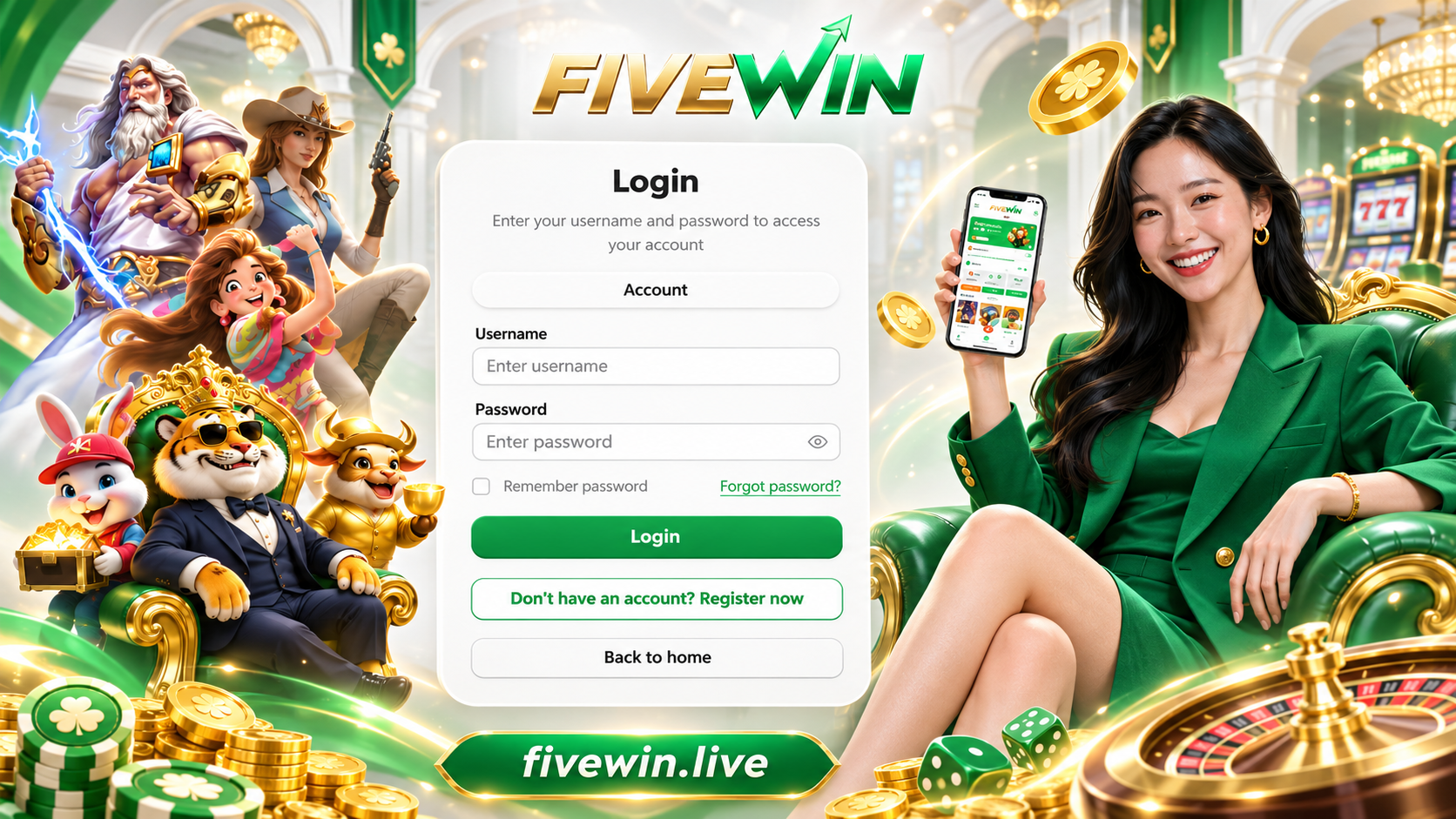
Your FiveWin login takes three things: the username you chose at sign-up, your password, and the official login page. Tap the button below to open it, enter your details and select Login. This page also covers password resets, adding FiveWin to your phone’s home screen and what to do when a sign-in does not go through.
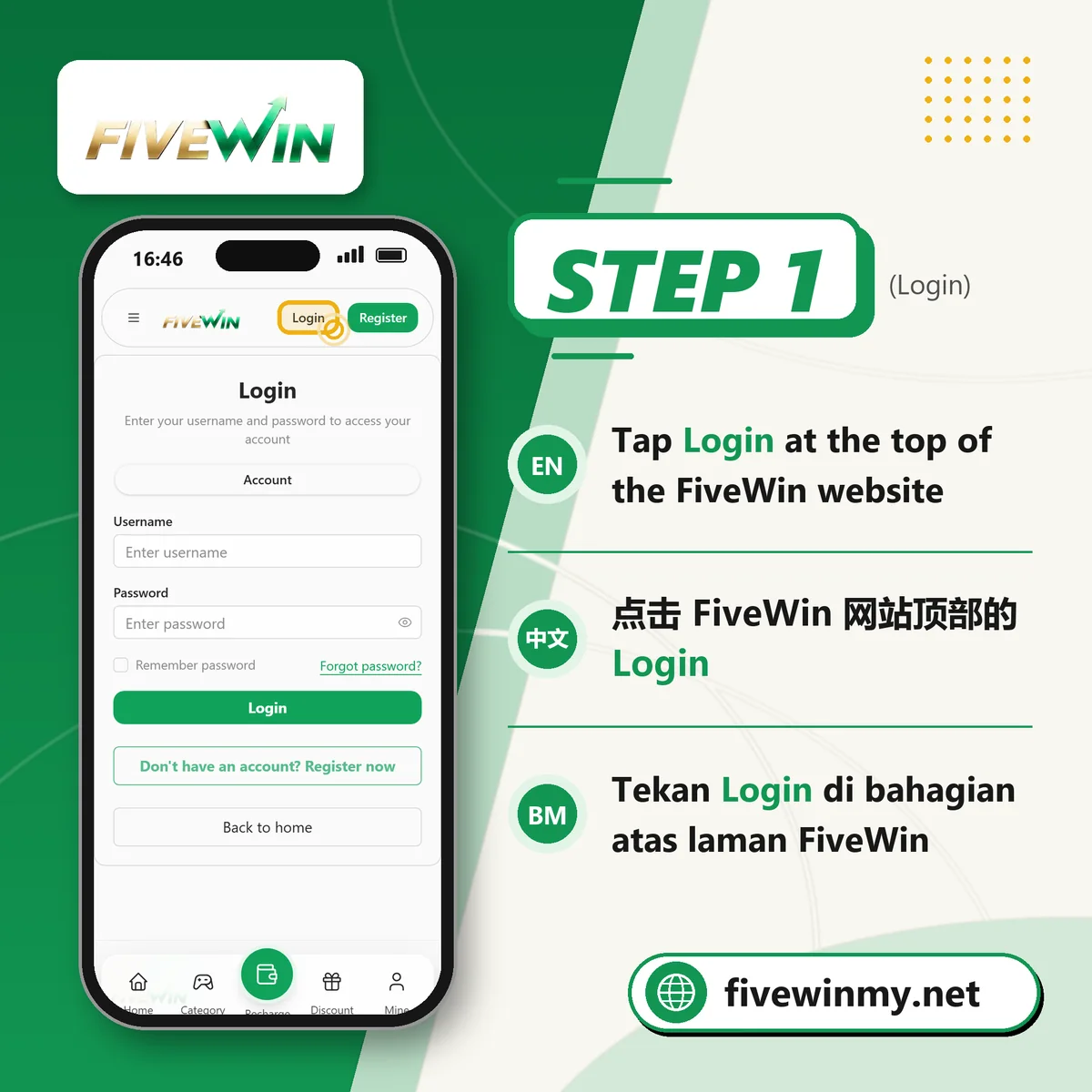
Use the Login button on this page or the Login link in our top menu. Both take you straight to the official sign-in screen, so you never need to type an address or rely on a link someone has sent you.
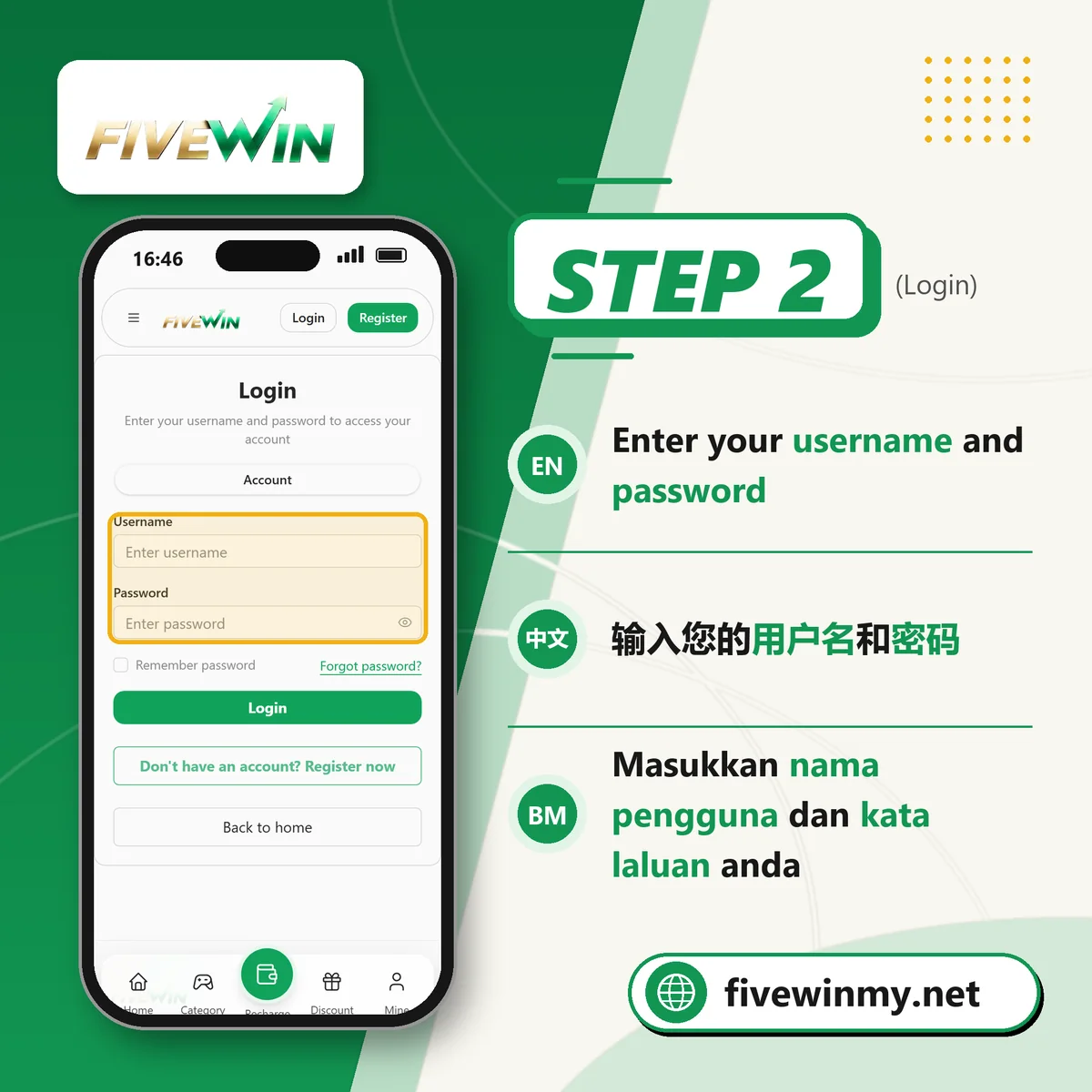
The sign-in form opens on the Account tab. Type the username you created when you registered, not your mobile number, then enter your password. Passwords are 6 to 20 characters with at least one letter and one number, and they are case-sensitive, so check that Caps Lock is off.
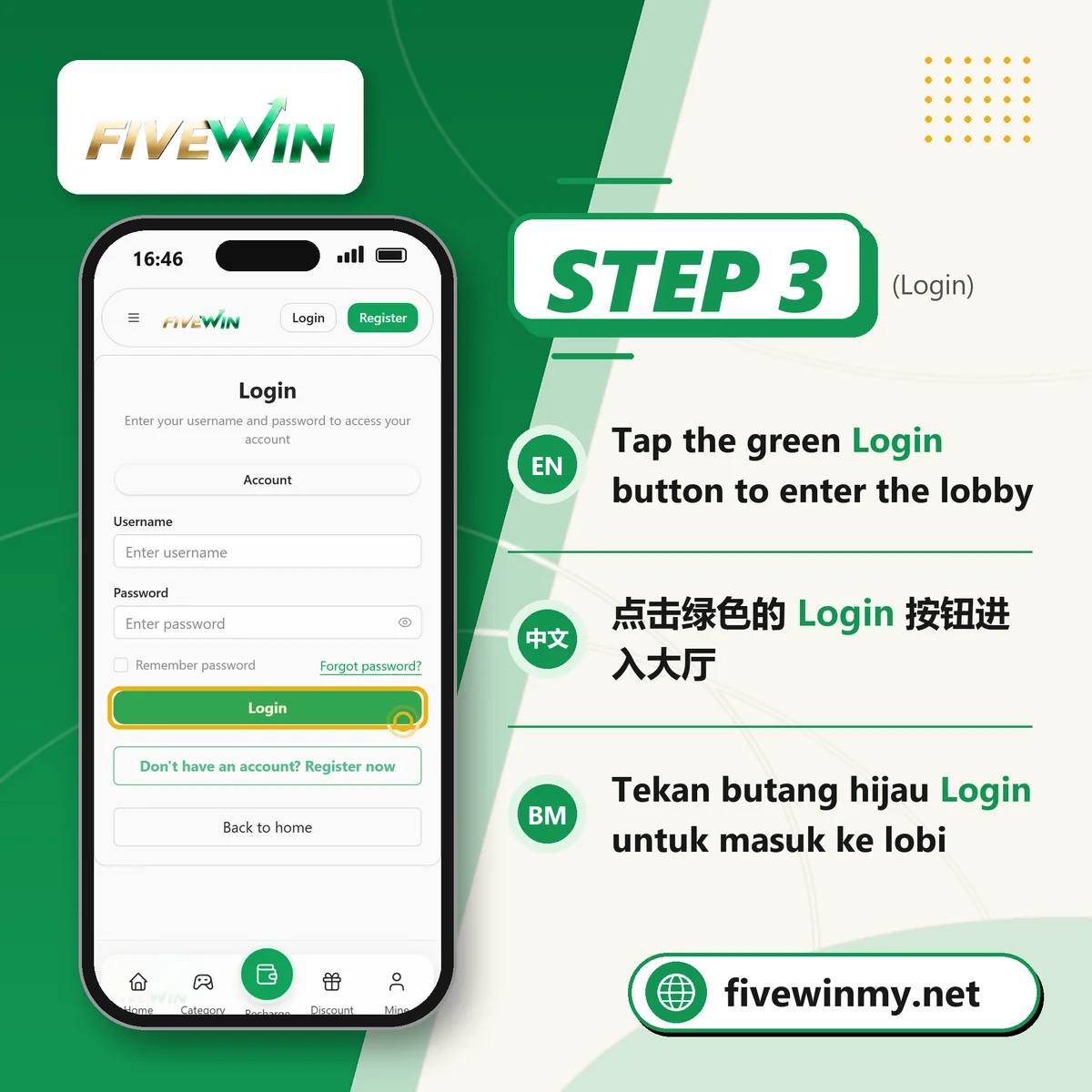
Tap the green Login button and you are taken back to the FiveWin lobby, signed in and ready to play. If you are on your own phone, you can tick Remember password so the next FiveWin login is faster. Leave it unticked on shared or public devices.
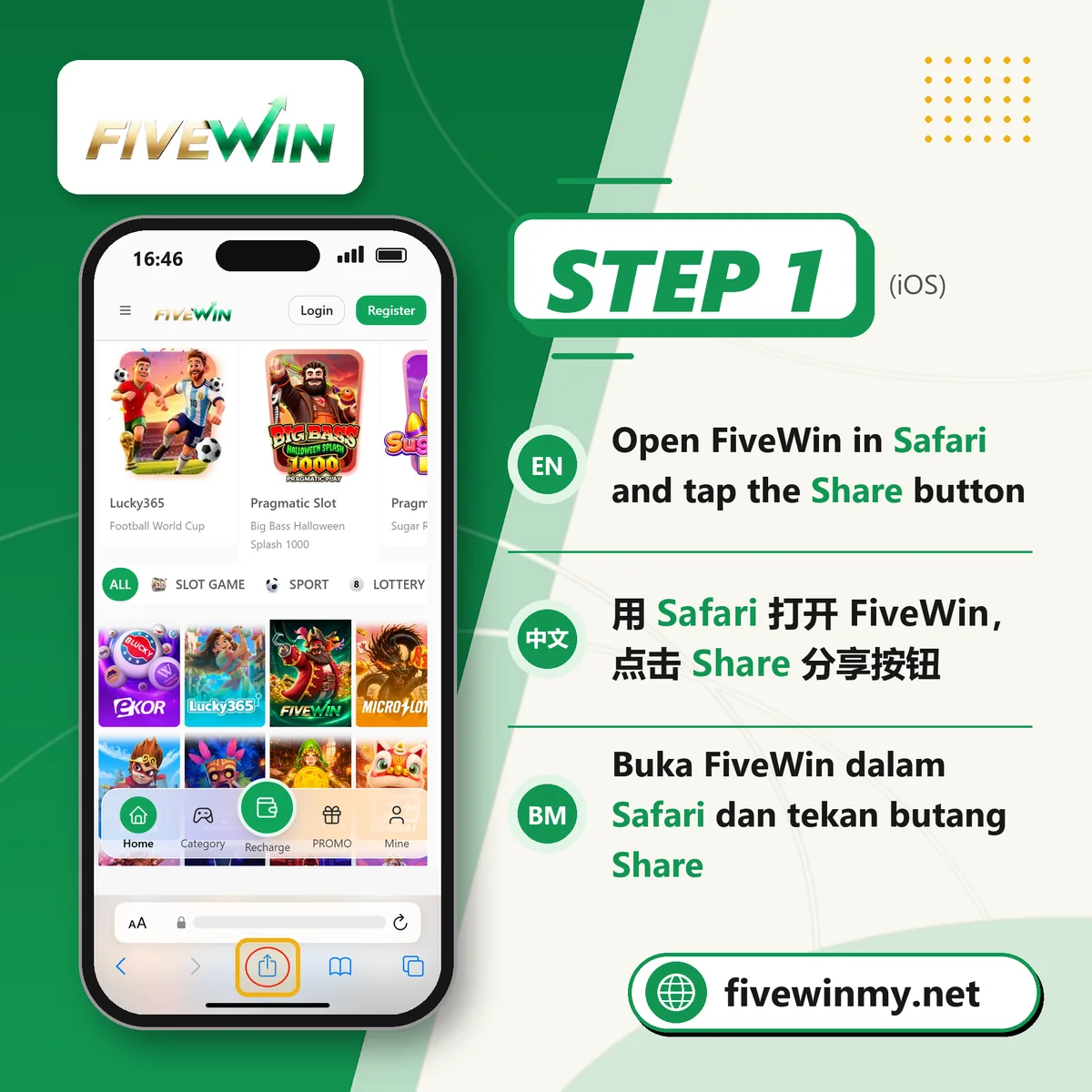
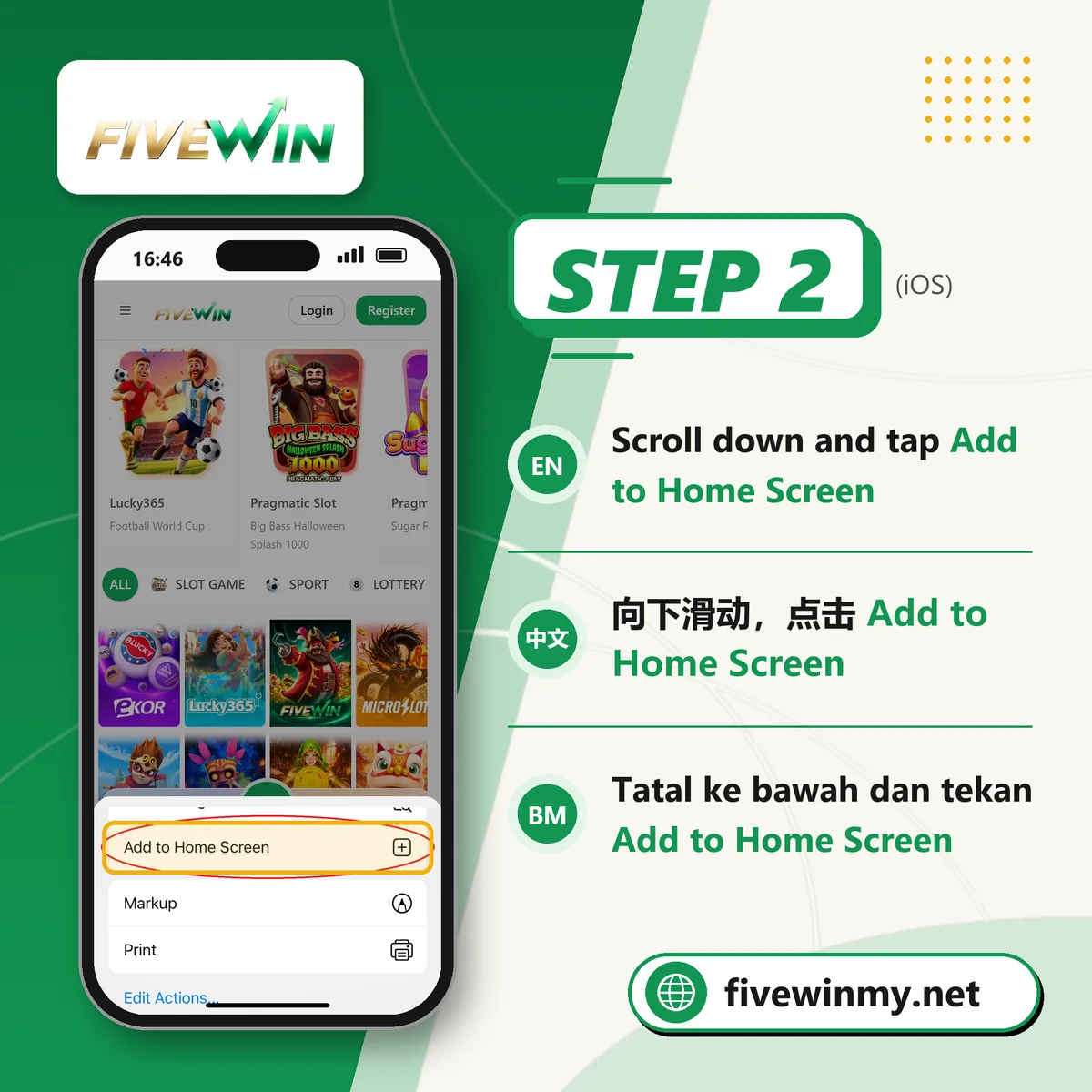
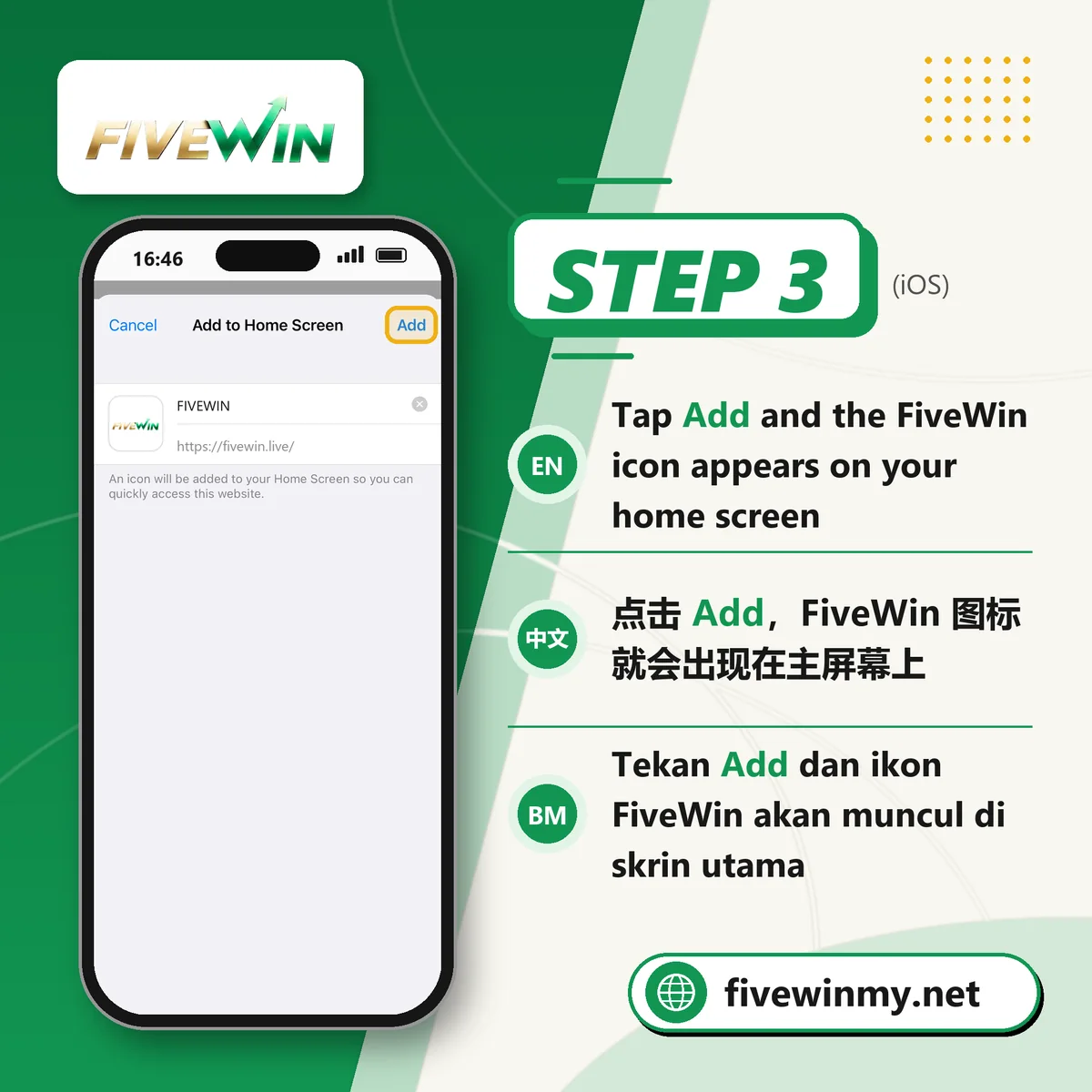
Most of our players sign in from a phone. Instead of opening the browser each time, you can pin FiveWin to your home screen and open it like an app. Your username and password stay the same on every device.
Scroll to the Installation Guide at the bottom of the FiveWin homepage and tap Install under Android or Desktop, then follow the on-screen prompts. For download options and app features, see our FiveWin app page.
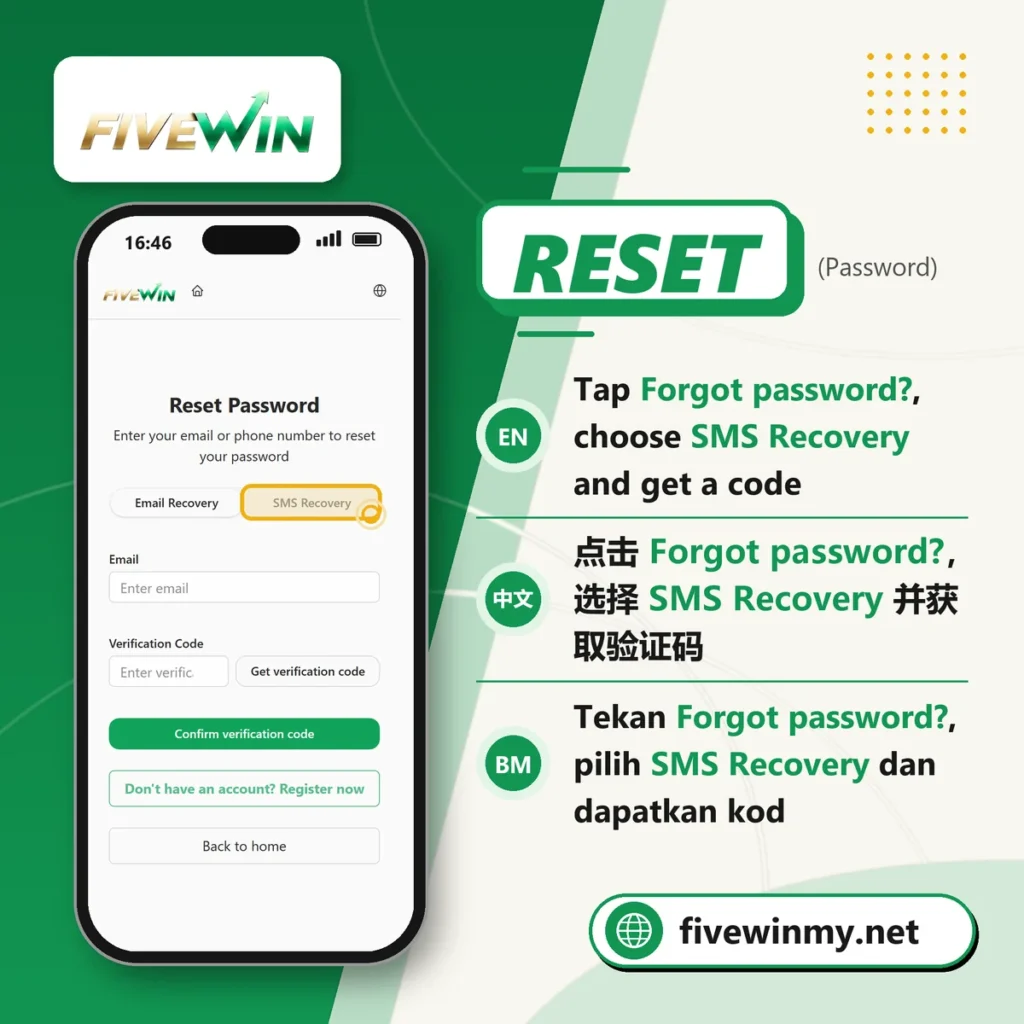
If you cannot remember your password, select Forgot password? under the password field on the login page. The Reset Password screen gives you two ways back in:
| Option | What you enter | Best for |
|---|---|---|
| SMS Recovery | The mobile number you verified when you registered | Most players, since every account is created with a verified Malaysian number |
| Email Recovery | The email address linked to your account | Players who have added an email to their profile (adding one is optional) |
Choose an option, tap Get verification code, enter the code you receive, then select Confirm verification code and follow the prompts to set a new password. Your next FiveWin login uses the new password straight away.
Forgotten your username instead? Contact FiveWin customer support through Live Chat with the mobile number on your account, and our team will help you confirm it.
Most sign-in problems come down to a small detail. Check this table before contacting support:
| Problem | Likely cause | What to do |
|---|---|---|
| Username or password not accepted | Caps Lock on, a typo, or the browser filling in an old saved password | Type both fields manually, or reset your password |
| Verification code not arriving | Wrong number entered, weak signal or a full SMS inbox | Check the number, wait a minute, then request the code again |
| Login page will not load | Unstable connection or an outdated browser | Switch between Wi-Fi and mobile data, clear the browser cache or update your browser |
| Logged out unexpectedly | Your session timed out or the browser’s saved data was cleared | Sign in again and tick Remember password on your own device |
If none of these fixes work, open Live Chat and tell our team your username, the device you are using and any error message you see.
Once you are in, everything runs from one wallet. You can browse the FiveWin slot lobby, join a table at FiveWin live casino or place sports bets without moving funds between products.
Before your first deposit, we ask you to complete a short bank account verification with your full name, bank and account number. The name must match your bank account exactly, which keeps deposits and withdrawals going to the right person. It is also a good moment to check the current FiveWin welcome bonus before you top up.
Our guide on how to make a FiveWin deposit walks you through the rest.
No. The sign-in form uses your username and password. Your mobile number is used for verification codes and password recovery.
Yes. The same FiveWin casino login works on your phone, tablet and computer, and your wallet balance is the same everywhere.
Follow our FiveWin register guide. Sign-up takes a username, a password and a verified mobile number. For other questions, visit the FiveWin FAQ or return to the FiveWin homepage.